
最近闲来无事,研究了如何使用vue来造轮子,丰富自己的组件库,那么就从最简单的button开始吧。
所有的代码都在下面这个仓库里,欢迎star~ https://github.com/wuqin0791/gulu
将会从以下几个方面去分享:
- 设计稿与素材准备
- 工具类使用
- 组件细节处理
- 单元测试
设计稿
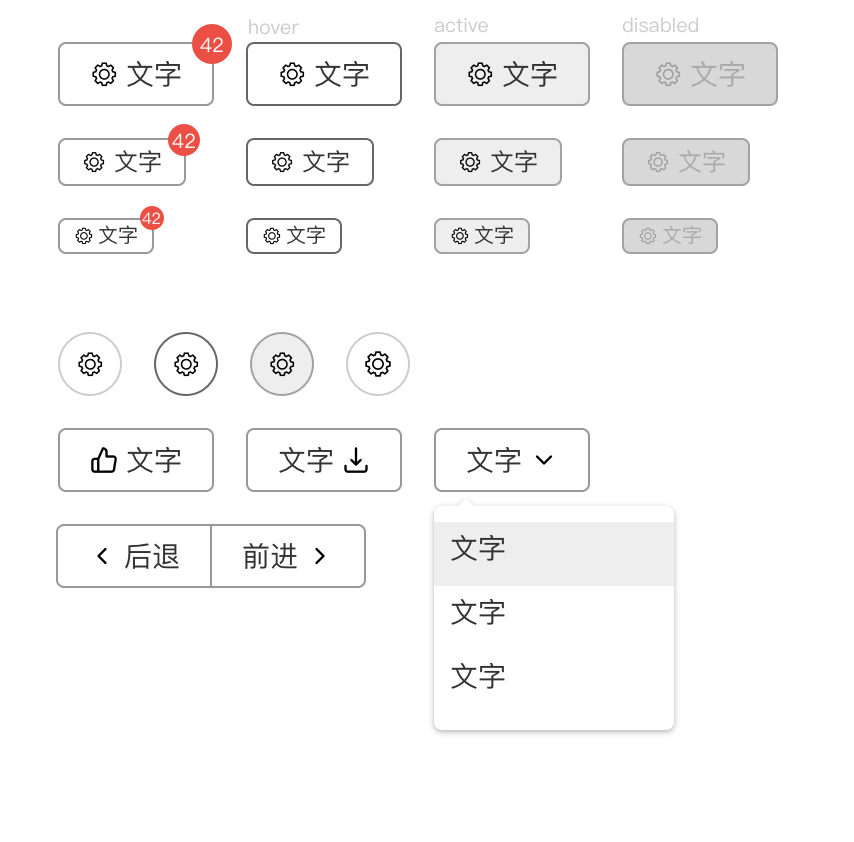
常见的设计工具是sketch,不过这是个mac应用,window用户可以考虑一下在线编辑的的语雀
icon的制作
- 关于组件里的icon,以前的开发喜欢用雪碧图,现在的icon基本是SVG,可以去阿里巴巴矢量图标库去找,可以找到loading、up、down等等icon,并且生成link可以直接引入项目中。ps:使用阿里的cdn服务器,稳定!
1 | <script src="//at.alicdn.com/t/font_718972_1hhoomwpb69.js"></script> |
parcel打包
打包工具有很多,比如主流的webpack,fis3,gulp,parcel等等,但是这里使用parcel的原因是上手非常快,几乎没有配置,也不容易踩坑。
- 具体的打包过程可以去parcel官网查看,非常简单,安装后傻瓜式使用
将项目改成单页面模式
- 目录结构如下:可以安装插件tree,使用命令 tree -I ‘node_modules|dist’ 可以避免输出node_modules
1 | ├── LICENSE |
如果你在使用parcel的时候,发生以下问题。

- 你有两种解决方法
- 运行的时候带上index.html, 比如 ./node_modules/.bin/parcel index.html
- 使用npx parcel index.html(因为npx会去查找parcel这个变量)
如果你不够幸运,还遇到这个问题。
1 | [Vue warn]: You are using the runtime-only build of Vue where the template compiler is not available. Either pre-compile the templates into render functions, or use the compiler-included build. |
- 在vue的官网文档安装就说了怎么解决这个问题,只需要在package.json里配置alias就好。
css中的:root
css3中有个属性叫做:root, 可以定义css的变量。在caniuse里可以查看:root的兼容性,本质上:root也就是绑定在html根节点上,所以可以将:root换成html也是生效的,而且兼容性更好。
1 | :root { |
如何控制icon的左右位置
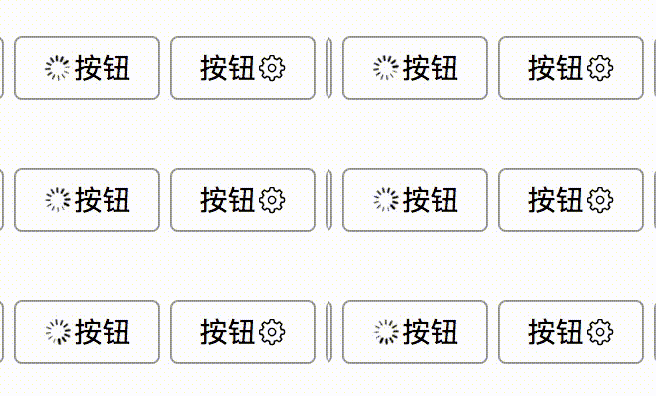
我们怎么控制icon是显示在左边还是右边呢?很明显,我们可能第一感觉是通过定义一个position变量if else来判断icon的位置,这里使用了iconPosition直接放在class里面来判断位置,默认是left,同时对value验证,样式则是用flex和order来控制。
1 | :class="{[`icon-${iconPosition}`]: true}" |
1 | .g-button{ |
- 特别注意:
- :class=”{[
icon-${iconPosition}]: true}”表示三种意思,{undefined: true},{left: true},{right: true},避免出现undefined显示出来的情况 - css中inline block导致的baseline的问题,可以用vertical-align: middle来解决
单元测试
测试有三个概念: BDD、TDD、ASSERT
- BDD: Behavior-Driven develop
- TDD: Test-Driven Development
- ASSERT: 断言,如果正确了没有反应,如果错误了有error提示
- 引入chai和chai-spies两个库来断言,例如获取xlink的link来断言是否等于#i-settings,来帮助开发人员对组件传入对的参数
1
2
3
4
5
6
7
8
9
10
11
12
13
14{
const Constructor = Vue.extend(Button)
const vm = new Constructor({
propsData: {
icon: 'settings'
}
})
vm.$mount()
let useElement = vm.$el.querySelector('use')
let href = useElement.getAttribute('xlink:href')
expect(href).to.eq('#i-settings')
vm.$el.remove()
vm.$destroy()
}Reference
- The digital design toolkit. (2020). Retrieved 24 June 2020, from https://www.sketch.com/
- Iconfont-阿里巴巴矢量图标库. (2020). Retrieved 24 June 2020, from https://www.iconfont.cn/
- 🚀 Getting Started. (2020). Retrieved 24 June 2020, from https://parceljs.org/getting_started.html